Sharing Your Booking Link
Learn how to share your booking page and let clients schedule meetings with you.
Find Your Booking Link
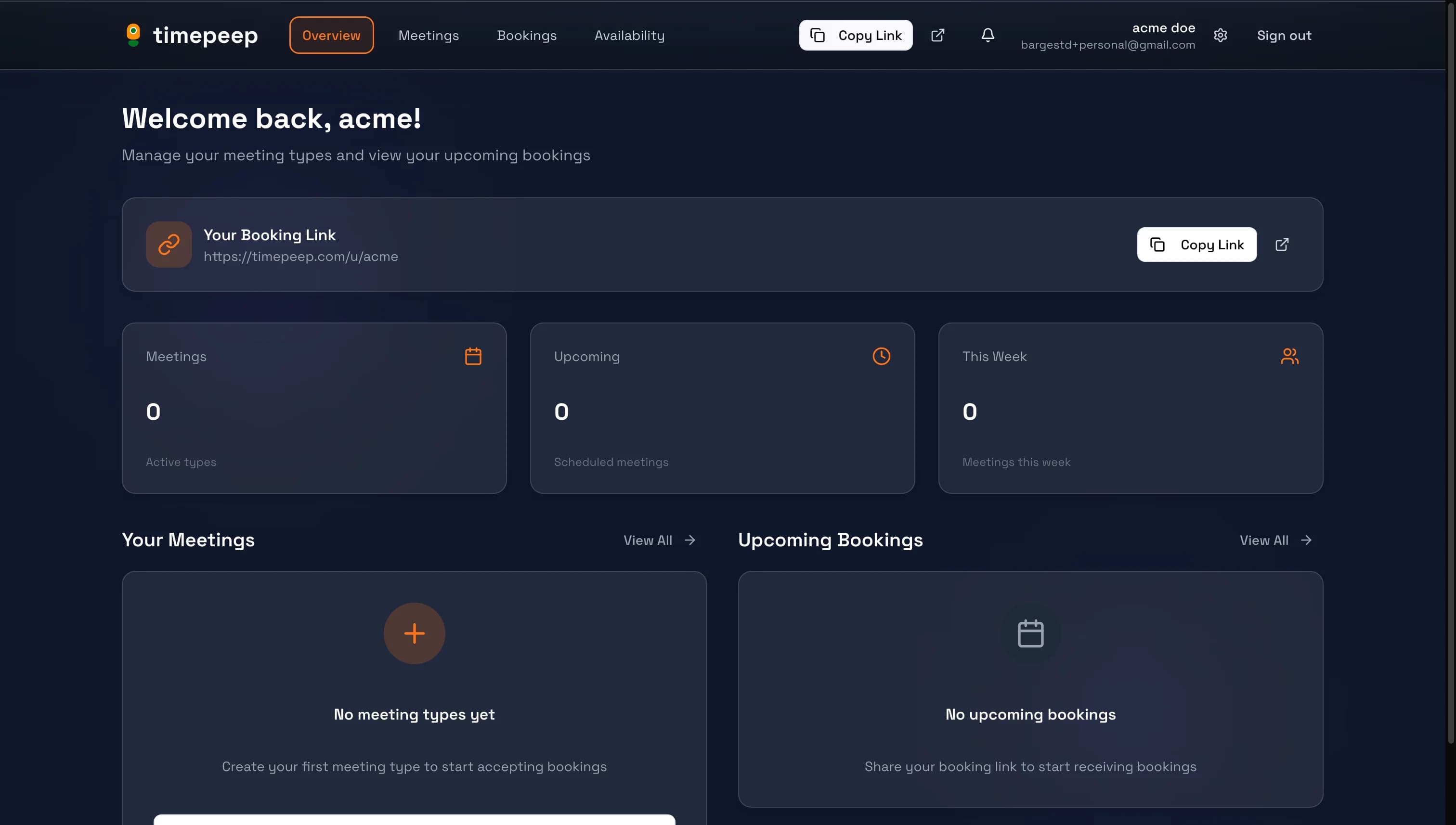
Your booking link is displayed at the top of your dashboard and in the header. It looks like timepeep.com/u/yourname.
Copy Your Link
Click the "Copy Link" button to copy your booking URL to your clipboard. You can now paste it anywhere.
Share with Clients
Paste your link in emails, messages, social media bios, your website, or email signatures. When someone clicks the link, they'll see your available meeting types.
What Clients See
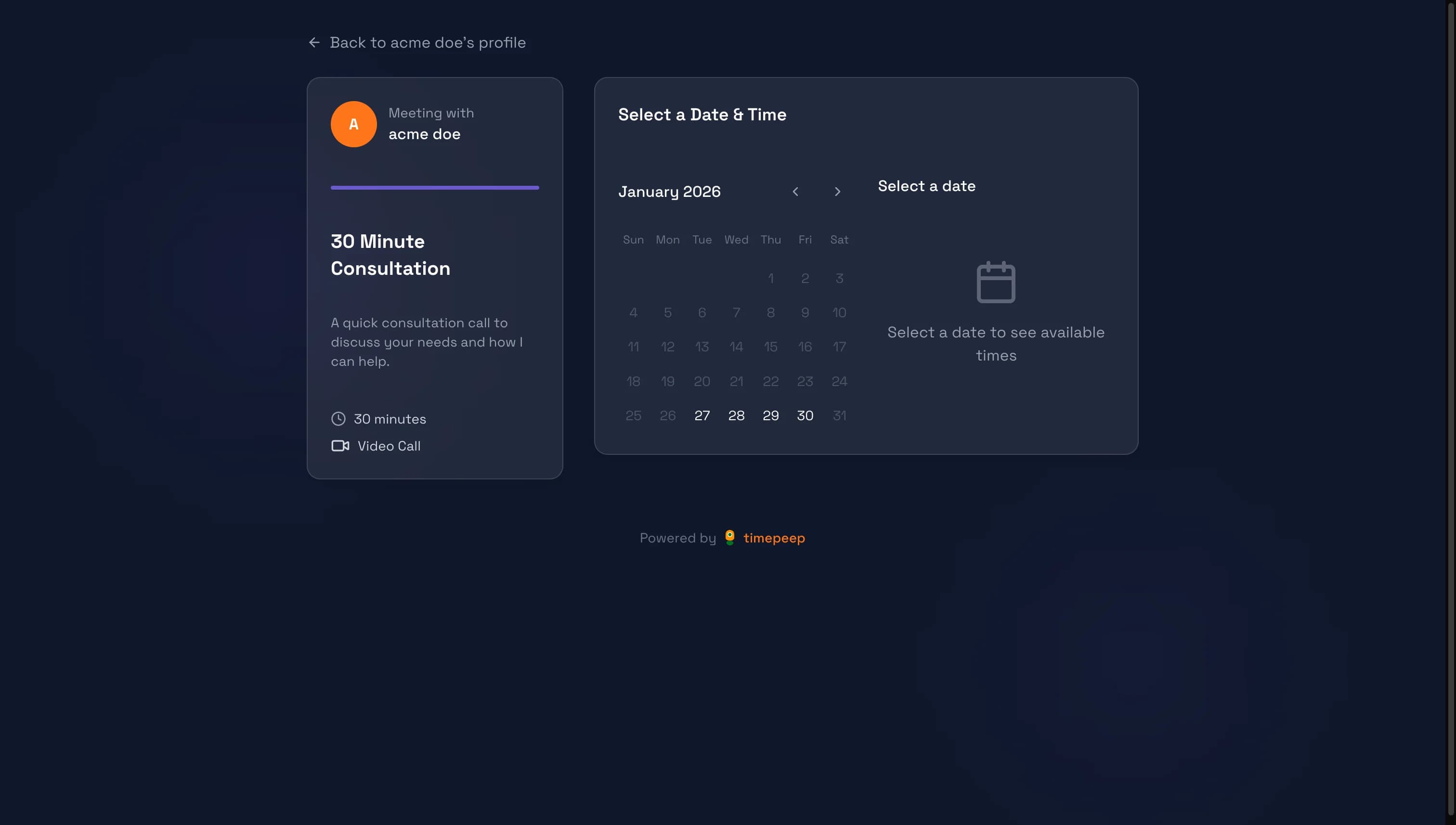
When clients visit your booking page, they see your meeting types, can select a date and time that works for them, and book directly.
Time Slot Selection
Clients can browse the calendar to see available dates (based on your availability settings) and choose from available time slots.
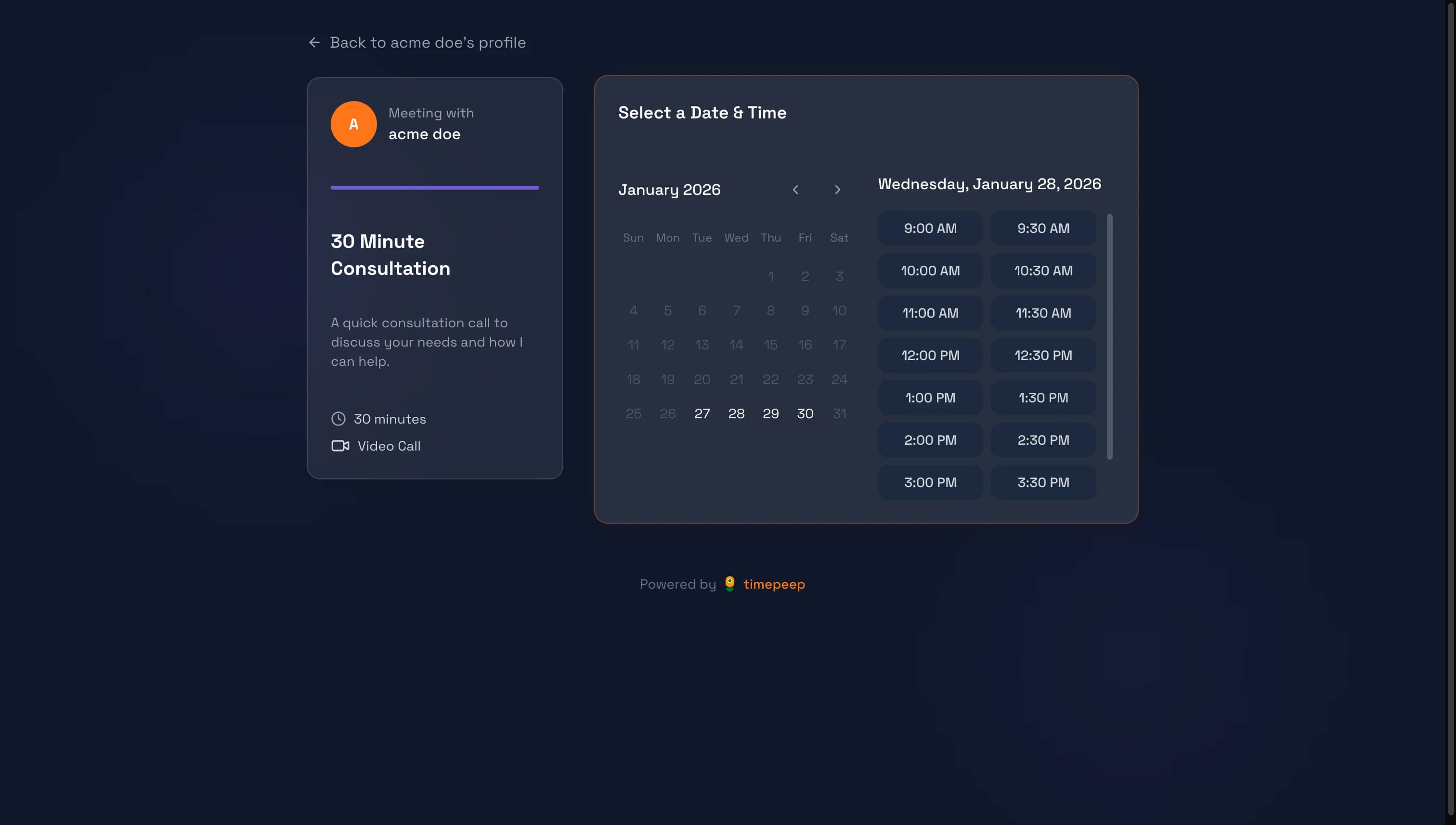
Encourage clients to book at their convenience - your availability is always up to date.
You're all set!
You've completed this guide. Check out the related guides below to learn more.