Availability
Setting Your Availability
Configure your weekly schedule and connect calendars to prevent double-booking.
4 steps
1
Go to Availability Settings
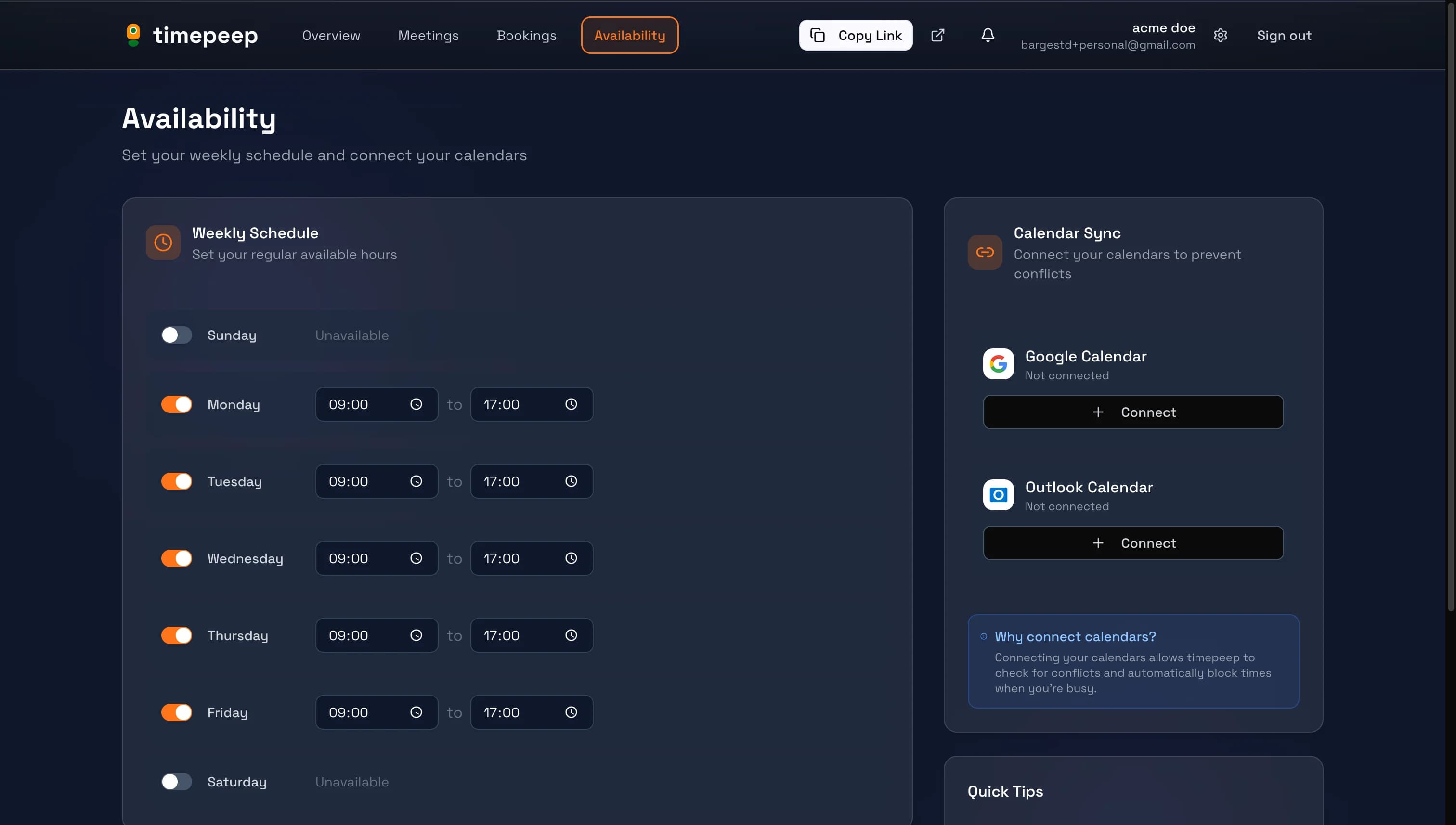
Click "Availability" in the navigation bar to access your availability settings.
2
Set Your Weekly Schedule
Toggle each day on or off and set your available hours. For example, you might be available Monday-Friday from 9:00 AM to 5:00 PM.
Leave weekends off if you don't want to accept bookings on those days.
3
Configure Your Timezone
Make sure your timezone is set correctly. timepeep will detect it automatically, but you can change it if needed.
4
Connect Your Calendars (Optional)
Connect your Google Calendar or Outlook Calendar to automatically block times when you're busy. This prevents double-booking.
Calendar sync updates every 5 minutes to keep your availability current.
You're all set!
You've completed this guide. Check out the related guides below to learn more.